

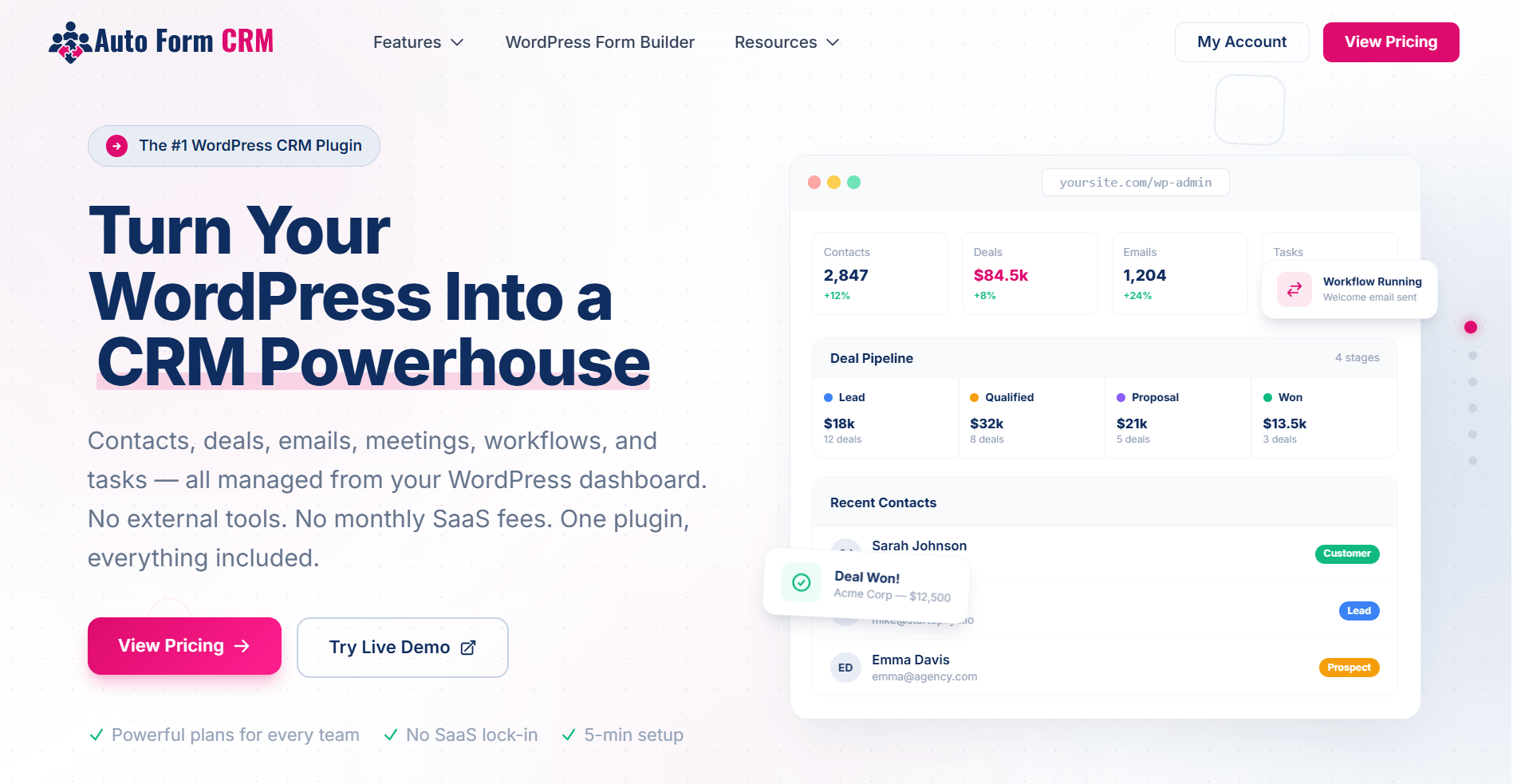
Managing leads and customer relationships inside WordPress has always been harder than it should be. Form submissions land in your inbox. Contact data sits in a spreadsheet. Follow-ups happen from memory. There’s no system — just a collection of disconnected pieces.
The solution is a dedicated WordPress CRM plugin: a tool that lives inside your site, captures leads automatically, and gives you a real system for managing every contact, deal, and conversation from one place.
In this post, we cover exactly what makes a great WordPress CRM plugin and why Auto Form CRM is the best option available right now for WordPress site owners who want power without complexity.
What Is a WordPress CRM Plugin?
A WordPress CRM (Customer Relationship Management) plugin brings contact and deal management directly into your WordPress dashboard. Instead of relying on expensive external platforms, a native WordPress CRM lets you capture leads from your forms, track where each contact stands, automate follow-ups, and manage your entire pipeline — all without leaving the environment you already work in.
The best WordPress CRM plugins share a few key traits:
- They capture leads from contact forms and store them automatically
- They give you a full contact history, not just a name and email
- They let you track deals and move contacts through a pipeline
- They automate repetitive tasks so nothing falls through the cracks
- They’re lightweight and fast — no bloat, no slowdowns
What to Look for in the Best WordPress CRM Plugin
Before choosing a WordPress CRM plugin, make sure it covers these fundamentals:
Native Form Integration
Your CRM is only as useful as the data feeding it. The best WordPress CRM plugins capture every form submission automatically and create or update contacts without any manual work on your end.
Full Contact and Lead Management
A flat list of names and emails is not a CRM. You need to store notes, tags, custom data, and a full history for every contact so you always know where the relationship stands.
Deal Pipeline Tracking
Whether you’re closing sales, managing service requests, or tracking project inquiries, you need a way to visualize your pipeline and move contacts through stages. Drag-and-drop kanban boards make this intuitive and fast.
Automation
Manual follow-ups don’t scale. A solid WordPress CRM plugin lets you build automated workflows — triggered by form submissions, deal stage changes, or contact activity — so your pipeline moves forward even when you’re not watching it.
Data Ownership
Unlike SaaS CRM platforms that store your contacts on their servers, a WordPress-native CRM keeps your data on your own hosting. You stay in control.
Introducing Auto Form CRM: The Best WordPress CRM Plugin Built for WordPress
Auto Form CRM is a WordPress-native CRM plugin built from the ground up for WordPress site owners. It’s developed by the team behind the popular Auto Form Builder plugin, which means the connection between your forms and your CRM is first-class — not bolted on after the fact.
Here’s a full breakdown of what Auto Form CRM offers across its three core feature areas.
Core CRM Features
Contact Management
Store unlimited contacts with full profile pages, activity history, tags, and filters. Whether you have 100 contacts or 100,000, Auto Form CRM handles them cleanly. Every form submission automatically creates or updates a contact record, so your database is always current without manual data entry.
Deal Pipeline
Visualize every deal in a drag-and-drop Kanban board. Move leads through custom stages, assign values, set close dates, and see your entire pipeline at a glance. It’s the kind of pipeline view you’d expect from a dedicated sales CRM — built right into WordPress.
Task Management
Create and assign tasks linked to contacts or deals, and track them with a calendar view. Nothing gets missed. Whether it’s a follow-up call, a proposal deadline, or an onboarding step, your tasks live alongside the contacts they belong to.
Dashboard
Your CRM home screen gives you a real-time overview of your pipeline, recent activity, task deadlines, and performance metrics. Customizable widgets let you surface the data that matters most to your workflow.
Custom Fields
Every business captures different data. Auto Form CRM lets you create custom fields on contact and deal records — text fields, dropdowns, dates, checkboxes — so your CRM fits your workflow instead of the other way around.
Automation and Communication Features
Workflow Automation
Build visual automation workflows that trigger based on form submissions, contact tags, deal stage changes, or scheduled dates. Auto Form CRM’s automation builder lets you design multi-step sequences — send an email, assign a task, update a field, move a deal — without writing a line of code.
Email Campaigns
Send targeted email campaigns directly from your CRM. Segment your contacts using tags or custom lists, track open rates and clicks, and optimize your messaging over time. No external email marketing tool required.
Email Templates
Design professional email templates using a drag-and-drop email builder. Save templates for campaigns, automations, and one-off sends. Consistent, on-brand emails — every time — without starting from scratch.
Meeting Scheduling
Share a public booking page and let contacts schedule meetings directly into your calendar. Auto Form CRM integrates with Zoom and calendar platforms so meetings are created automatically — no back-and-forth emails needed.
Live Chat
Add a live chat widget to your WordPress site that automatically creates CRM contacts when a visitor starts a conversation. Every chat is logged against the contact record so you have the full conversation history when you follow up.
Organization and Integration Features
Tags
Tag contacts with any label that makes sense for your business — lead source, service interest, customer status, campaign name. Tags make filtering, segmenting, and automating based on contact type fast and flexible.
Custom Lists
Create both static and dynamic contact lists. Static lists are manually curated; dynamic lists update automatically based on filters and criteria you define. Perfect for targeted campaigns or audience segments that evolve as your contacts do.
Custom Values
Define reusable dropdown option sets that can be applied across custom fields throughout your CRM. Standardize the data your team enters, keep records consistent, and make filtering and reporting far more reliable.
Ecommerce Integration
Running a WooCommerce store? Auto Form CRM syncs your WooCommerce customer and order data directly into the CRM. See purchase history on contact profiles, segment buyers from leads, and create automations triggered by purchase activity — all from one dashboard.
Integrations
Auto Form CRM connects with the tools you already use: Google (Calendar, Meet), Zoom, Twilio for SMS, and more. Your CRM doesn’t live in isolation — it fits into your existing stack.
Who Is Auto Form CRM Built For?
Auto Form CRM is the best WordPress CRM plugin for:
- Freelancers and consultants who want to manage leads from their WordPress site without paying SaaS prices
- Small businesses that need a proper pipeline, not just a contact list
- Agencies building client sites that require integrated lead capture, contact management, and automation
- WooCommerce store owners who want their customer purchase data inside their CRM
- Anyone who wants full data ownership — contacts stored on their own server, not a third-party platform
Why Auto Form CRM Beats Cloud-Based CRM Platforms for WordPress Sites
Cloud-based CRM platforms are powerful, but they come with real downsides for WordPress site owners:
- Your contact data lives on their servers, not yours
- Pricing scales with your contact list — the more you grow, the more you pay
- Integration with WordPress forms requires connectors, webhooks, or third-party tools
- You’re paying for features you’ll never use
Auto Form CRM flips this model. Your data stays on your hosting. Pricing is straightforward and doesn’t penalize growth. Form integration is native. And the feature set is purpose-built for WordPress workflows — not adapted from a generic SaaS platform.
Final Verdict: The Best WordPress CRM Plugin
If you’re running a WordPress site and need a real CRM — one that captures leads from your forms, tracks deals in a visual pipeline, automates follow-ups, sends email campaigns, and keeps every contact detail in one organized place — Auto Form CRM is the best WordPress CRM plugin available.
It covers every stage of the customer relationship: from the first form submission to the closed deal and beyond. And it does all of this inside WordPress, with your data on your own server, at a price that makes sense.
Ready to give your WordPress site a proper CRM backbone? Explore Auto Form CRM and see everything it can do.
This post was published on GHLAutomation.com — your resource for CRM automation and WordPress marketing tools.